Truck Parking Is Hard to Find—Use Real-Time Driver Updates
Truck parking usually gets hard at the exact wrong time: late afternoon, clock running down, and every lot ahead looking full. Most drivers know that 4 p.m. crunch well, especially on big freight lanes where a stop 30 to 60 miles outside a major city can fill long before the sun drops.
That’s where a lot of guys lean on the Trucker Path App. It puts truck parking availability, commercial-safe GPS, fuel stops, and road awareness tools in one place, so the decision happens before the last 45 minutes turn into a parking hunt.
How does the 4 p.m. truck parking crunch start?
The day usually goes sideways in a small way first. Traffic hangs up one city, weather slows a mountain stretch, or a dock burns another half hour. Then it’s late afternoon, there are 45 minutes left on the clock, and the truck parking spot from this morning’s plan is now packed.
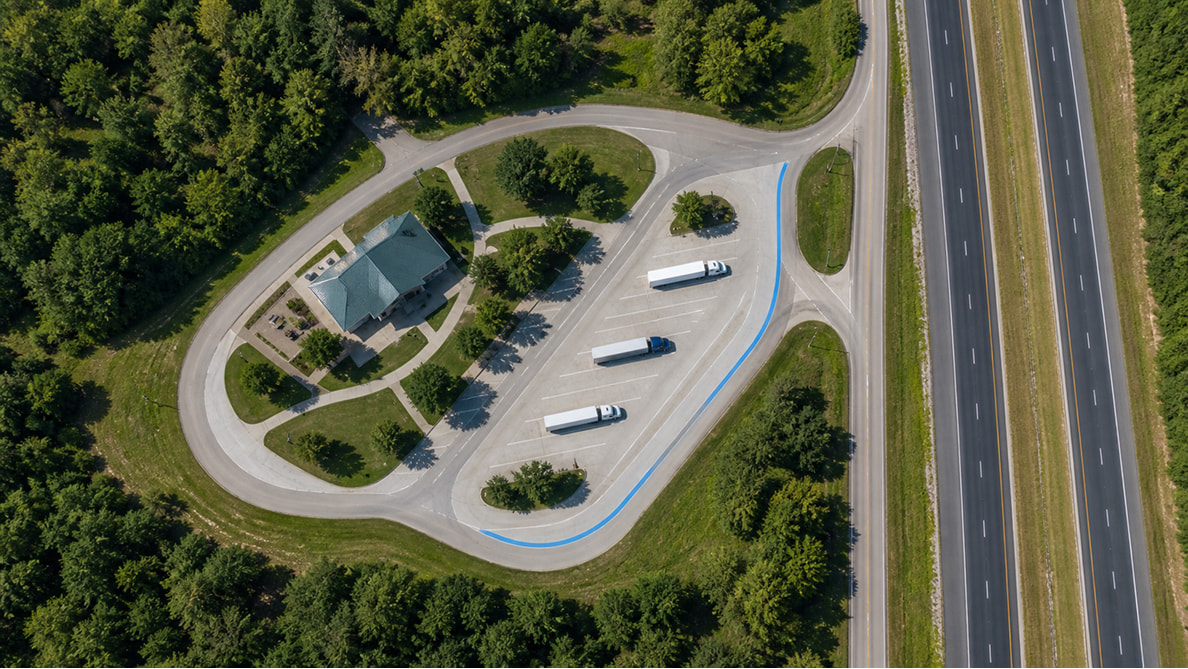
That pattern shows up a lot on runs that thread through places with heavy warehouse traffic, long metro bypasses, or limited truck parking between exits. A driver might leave a shipper on time in the morning, lose time at a receiver after lunch, then hit the beltway around a city right when everyone else starts looking for a spot. The trouble is not one big event. It is three small delays that stack up.
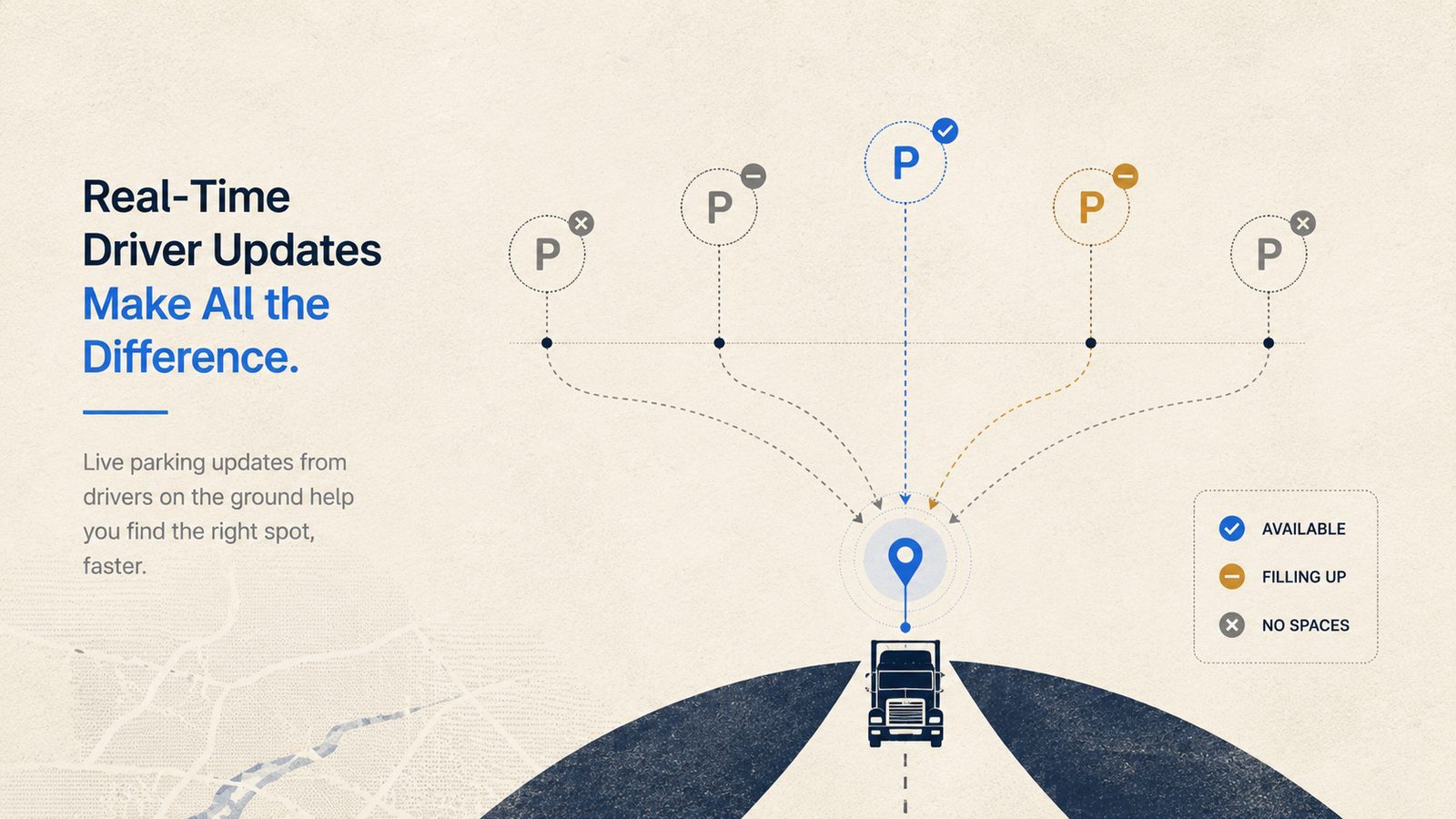
That’s the problem with parking plans built too early and checked too late. A pin on a map doesn’t tell the full story once the day starts moving. Drivers need to know how much room a stop actually has left while they still have enough time to choose something else. Trucker Path helps at that point because the parking availability comes from real driver reports in the app, shown as Full, Some, or Many — color-coded red, yellow, or green so a driver can read it at a glance without digging through a list. If a stop starts filling up fast, a lot of guys can see that before they commit the last stretch of drive time. Pair that with commercial routing that keeps the truck off low bridges, weight-restricted roads, and bad turns, and the parking decision gets a lot less risky.
How do drivers find truck parking before the last 45 minutes?
Most experienced drivers don’t wait until the fuel light, the HOS clock, and the sunset all show up together. They start checking truck parking earlier, usually while there’s still enough day left to reach a first choice, a backup, and one more backup if needed.
A practical way to do it is simple. Look ahead on the route, check the parking availability at the next few truck stops or rest areas, and make the call while there’s still room to change course. If the first stop shows Some or Many, that’s not a problem yet. It becomes a problem when the truck is already on the exit ramp and the next option shows Full with another long stretch away. On some lanes, that next option may not be a quick hop. Miss one Full stop outside a city ring, and the next truck-friendly place can sit far enough ahead to turn a tight clock into a bad choice.
Inside Trucker Path, drivers can see truck stops along the route and the reported parking availability before they burn drive time searching. That matters more in the late afternoon than it does at noon. By 4 p.m., one wrong stop can turn into a chain of bad decisions: circle the lot, head to the next exit, hit more traffic, and watch the clock drop faster than the miles. A lot of veteran drivers treat the app like a rolling check-in during the second half of the day, especially when they are headed toward a busy corridor, a port area, or a receiver cluster where truck parking gets tight early.
What’s the difference between free parking availability and reservable parking?
Crowdsourced availability answers “is there probably room right now.” Reservable parking answers a different question: “is there a spot with my name on it when I get there.” Trucker Path offers both, and knowing when to use which one saves a lot of late-afternoon guessing.
Free parking availability is built for the drivers who plan a few hours out and want a fast read on the road — check Full, Some, or Many on a few stops ahead, pick the best-looking option, and keep moving. It’s the right tool for the daily grind, especially when plans change hour to hour anyway.
Reservable parking is the better call when a driver already knows tonight is going to be tight — a run into a market with a known parking crunch, a late-arriving delivery that pushes the stop past prime time, or just wanting one less variable on a long day. Booking a spot ahead of time means the 4 p.m. crunch doesn’t apply to that stop at all: the space is already held, so there’s no circling a packed lot hoping something opens up. For drivers who keep hitting the same tight corridors on a regular lane, reserving ahead on the predictable nights and using free availability the rest of the time is usually the combination that cuts out the most stress.
What else helps when parking plans start falling apart?
Parking trouble rarely shows up alone. A slowdown ahead, rough weather, or a last-minute fuel stop can turn a decent plan into a scramble. That’s why a parking tool works better when it also shows the stuff that changes the day around it.
Trucker Path puts traffic and weather along the route next to the stop-planning side of the trip. If traffic stacks up ahead, a driver can stop sooner. If weather looks rough later in the evening, stopping earlier starts to make more sense than pushing toward a crowded major stop. Live highway cameras can help with a road check before committing to the next leg, especially when the sky and the traffic map tell two different stories. That gets useful on mountain stretches, lake-effect weather days, or any run where one bad wreck near an interchange can eat the cushion that was supposed to cover parking.
Fuel matters too, not because of a magic savings number, but because extra searching burns time and fuel at the same time. Looking at along-route fuel stops while checking parking gives drivers a cleaner picture of the next few hours. Weigh station status is also there as part of trip context — not as a way to plan around enforcement, but so the route picture stays in one app instead of five, with crowdsourced reports plus official data feeds. Nobody wants to bounce between screens while merging, trying to remember whether the next stop had parking, showers, fuel, or a tight entrance.
How do experienced drivers use truck parking tools without overthinking it?
The best habit is not staring at the phone all day. It’s checking ahead at the right time. A lot of veteran drivers look ahead once the second half of the day starts, then tighten the plan again when the clock gets closer to the final couple of hours.
That keeps truck parking from becoming an emergency. If the first planned stop shows Full, there’s already another one in mind. If traffic cuts into the day, the stop moves up. If weather looks ugly ahead, the truck gets parked earlier instead of later. Apple CarPlay support helps keep that information easier to follow in motion, and detailed junction view helps when the route leads into busy interchanges near major truck stops. That is the kind of spot where a missed ramp or a late lane change can cost enough time to lose the last decent parking option.
Trucker Path is used by 1,000,000+ truck drivers across North America and holds a 4.8/5 rating on the App Store from 122,000+ ratings, plus 4.8/5 on Google Play from 69,000+ ratings. Those numbers don’t park the truck by themselves, but they do show how many drivers rely on the app when the easy spots are already gone.
Frequently Asked Questions
How do I find truck parking near me?
The fastest way is to check parking availability along the route before the last hour gets tight. Most drivers look for a nearby truck stop, rest area, or service plaza and compare reported availability instead of driving exit to exit hoping for an open row.
What time does truck parking usually fill up?
It depends on the lane and the market, but late afternoon is when the pressure usually starts building. Around the 4 p.m. window, popular stops can go from Some to Full fast, especially near major freight corridors, city belts, and warehouse-heavy areas.
What’s the difference between Full, Some, and Many when checking parking availability?
These are the three availability levels drivers see in the app, color-coded for a quick read: Full (red) means the lot is likely tapped out, Some (yellow) means limited space left, and Many (green) means the lot has room. It’s a faster signal than a plain open/closed status, since it shows how much room is actually left, not just whether the gate is open.
Can I book truck parking ahead of time instead of hoping for an open spot?
Yes. Alongside free, crowdsourced parking availability, Trucker Path also offers reservable parking, so a driver can hold a spot in advance on nights when the lane is known to run tight instead of relying on availability status alone.
What is the Trucker Path app used for?
Drivers use it for commercial GPS, truck parking, fuel stop planning, road checks, and weigh station status as part of trip planning. It’s built for OTR drivers who want those tools in one app, and it’s free to start.
Summary
- Truck parking problems usually start before the last 45 minutes, not during them.
- Late-day trouble often builds from small delays like dock time, city traffic, weather, or one missed backup stop.
- Driver-reported parking availability (Full, Some, Many) helps drivers make the call earlier and avoid wasting drive time on full lots.
- Reservable parking is available alongside free availability info, for nights when the lane is known to run tight.
- A simple habit works: check ahead in the second half of the day, pick backups, and adjust before the 4 p.m. crunch turns ugly.
Sources
- Apple App Store — “Trucker Path: Truck GPS & Fuel”, accessed August 18, 2026
- Google Play — “Trucker Path: Truck GPS & Fuel”, accessed August 18, 2026
App ratings and install figures may have changed since publication; figures above reflect the sources cited.